
OSPF is a link-state IGP that uses cost as its metric and requires Area 0 as the backbone.
Facts
- Type: link-state → Dijkstra’s algorithm (SPF); uses LSAs (Link-State Advertisements)
- Protocol 89 in the IP header – OSPF uses no TCP/UDP
- AD: 110 (internal + external)
- Multicast: 224.0.0.5 (AllSPFRouters), 224.0.0.6 (DR/BDR)
Router ID election
- Manually configured router-id
- Highest loopback IP
- Highest active interface IP
OSPF timers cheat sheet
| Timer | Default | Function |
|---|---|---|
| Hello | 10 s (30 NBMA) | Send hellos to discover neighbors |
| Dead | 40 s (120 NBMA) | Time before a neighbor is considered down |
| LSA refresh | 1800 s | LSA is refreshed (reflood) |
| MaxAge | 3600 s | LSA removed from the LSDB |
| SPF delay | ~5 s | Wait before SPF calculation |
| SPF hold time | ~10 s | Minimum time between SPF runs |
| LSA arrival | 1 s | Min time between receipt of the same LSA |
| Retransmit interval | 5 s | Retransmit LSA if no ACK |
| Transmit delay | 1 s | Estimated link delay (LSA aging) |
Must-know for the exam: Hello/Dead → neighbor relationship; 1800/3600 → LSA lifecycle. Memory: 10/40 → neighbors, 1800/3600 → LSAs. Bonus: Hello and Dead must match between neighbors – otherwise no adjacency.
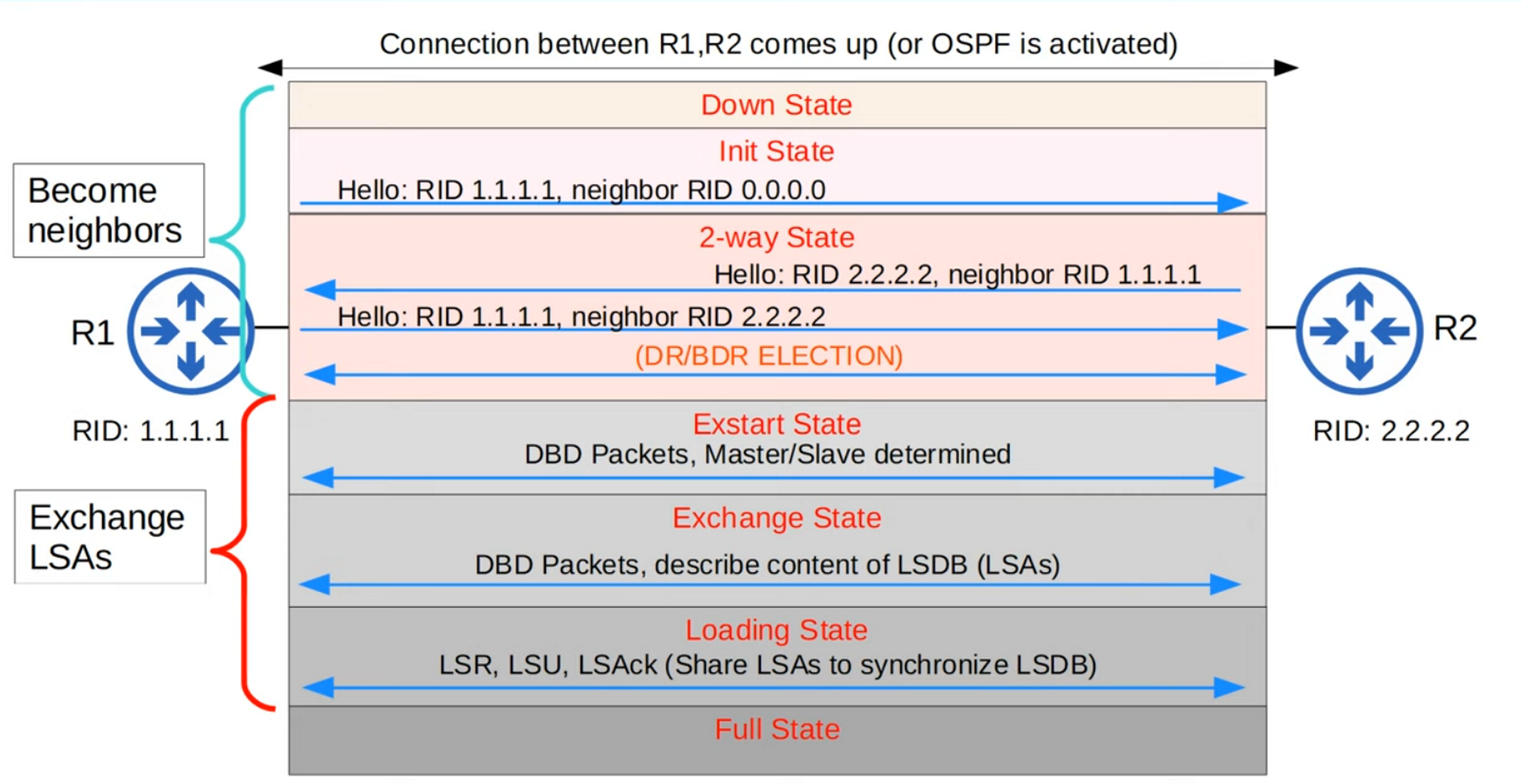
How OSPF works
- Become neighbor with routers in the same area
- Exchange LSAs to update the LSDB
- Compute the best route to every destination and install it in the routing table (automatically)
LSA types
| LSA type | Name | Version | Generated by | Describes | Flooding scope | Purpose |
|---|---|---|---|---|---|---|
| 1 | Router LSA | v2 & v3 | All routers | Router’s links, costs and neighbors | Area-local | Foundation for SPF |
| 2 | Network LSA | v2 & v3 | DR | Routers on a multiaccess network | Area-local | Represents the shared network |
| 3 | Summary / Inter-Area Prefix | v2 & v3 | ABR | Prefixes from another area | Inter-area | Inter-area routing |
| 4 | ASBR Summary | v2 & v3 | ABR | Path to the ASBR | Inter-area | Makes external routes reachable |
| 5 | External LSA | v2 & v3 | ASBR | External networks | AS-wide | Redistribution |
| 6 | Group Membership | v2 (IPv4) | MOSPF | Multicast groups | Area-local | Legacy / not in practice |
| 7 | NSSA External | v2 & v3 | NSSA ASBR | External routes in an NSSA | NSSA-local | Converted to Type 5 |
| 8 | Link LSA | v3 (IPv6) | All routers | Link-local info + IPv6 addresses | Link-local | Neighbor address discovery |
| 9 | Intra-Area Prefix | v3 (IPv6) | Routers / DR | IPv6 prefixes | Area-local | Moves prefix info out of Type 1 & 2 |
Memory (Cisco style): 1–2 → inside area · 3–4 → between areas · 5 → whole AS · 7 → NSSA only · 8 → link only · 9 → prefix info in v3.
IPv6 change (very important): v2 put IP addresses in Type 1 & 2; v3 moves them to Type 8 & 9.
OSPF packet types
| Type | Name | When used | Purpose (Cisco) |
|---|---|---|---|
| 1 | Hello | Periodically (hello interval) | Neighbor discovery, DR/BDR election, keepalive |
| 2 | Database Description (DBD) | During adjacency build | Exchanges LSDB summaries (LSA headers) |
| 3 | Link-State Request (LSR) | After DBD exchange | Requests missing or stale LSAs |
| 4 | Link-State Update (LSU) | When LSAs must be sent | Carries one or more LSAs |
| 5 | Link-State Ack (LSAck) | After receiving an LSU | Acknowledges LSAs |
Negotiation sequence: Hello → DBD → LSR → LSU → LSAck. Hello carries Router ID, Area ID, timers, priority and DR/BDR info; DBD compares LSDBs; LSR asks for missing LSAs; LSU answers the LSR and announces changes; LSAck confirms with LSA headers.
Areas & router types
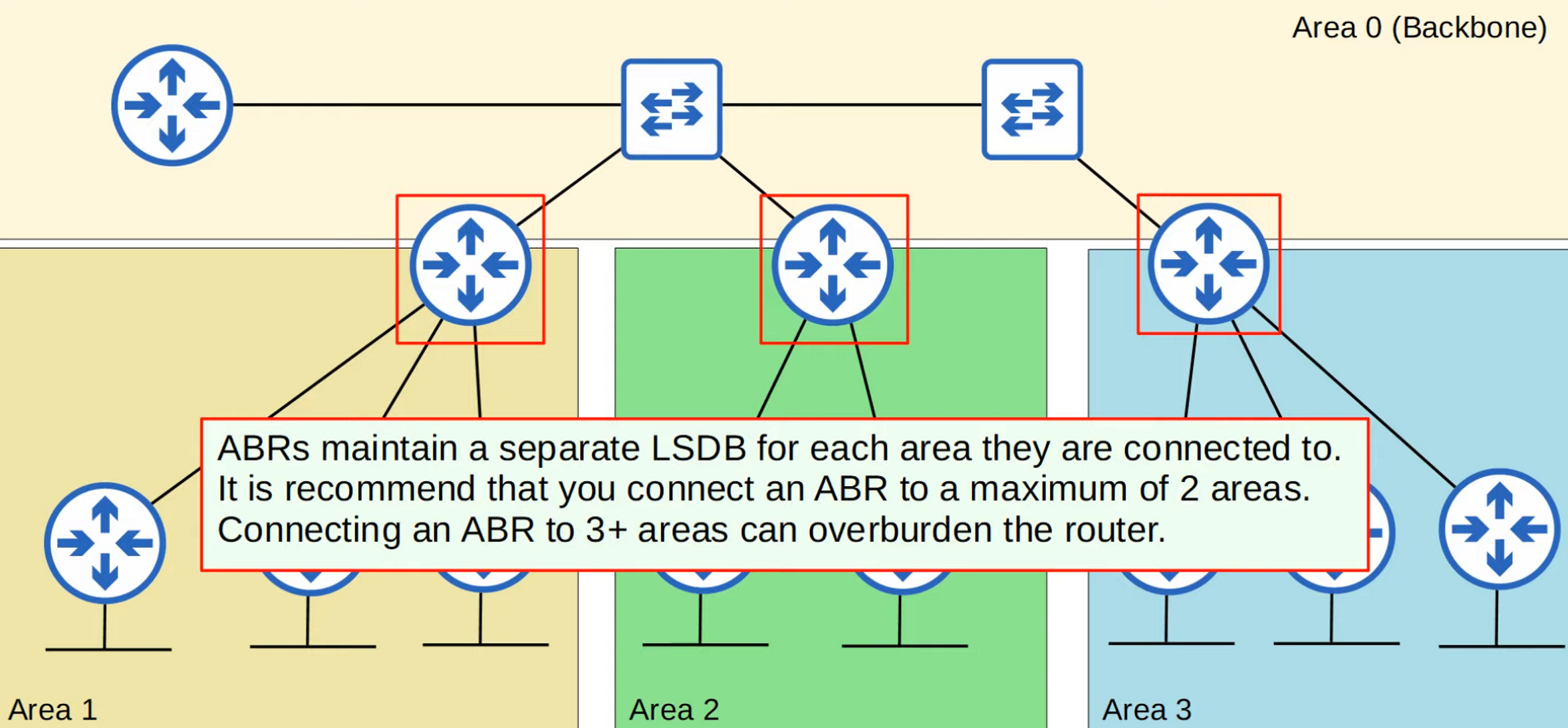
- Internal router: all interfaces in one area
- Backbone router: at least one interface in Area 0
- ABR: connects Area 0 with other areas
- ASBR: imports routes from other protocols (e.g.
default-information originate)
- Intra-area route: destination in the same area; inter-area route: destination in another area
- Areas must be contiguous; every area must have an ABR connected to the backbone; interfaces in the same segment must be in the same area
Roles on multi-access networks: DR (collects/distributes LSAs), BDR (takes over if DR fails), DROTHER (sends LSAs to DR/BDR).
Cost
| Point | Description |
|---|---|
| Metric name | Cost |
| Calculated on | Exit interface |
| Standard reference bandwidth | 100 Mbps |
| Cost formula | Reference bandwidth / interface bandwidth |
| Loopback | Cost 1 by default |
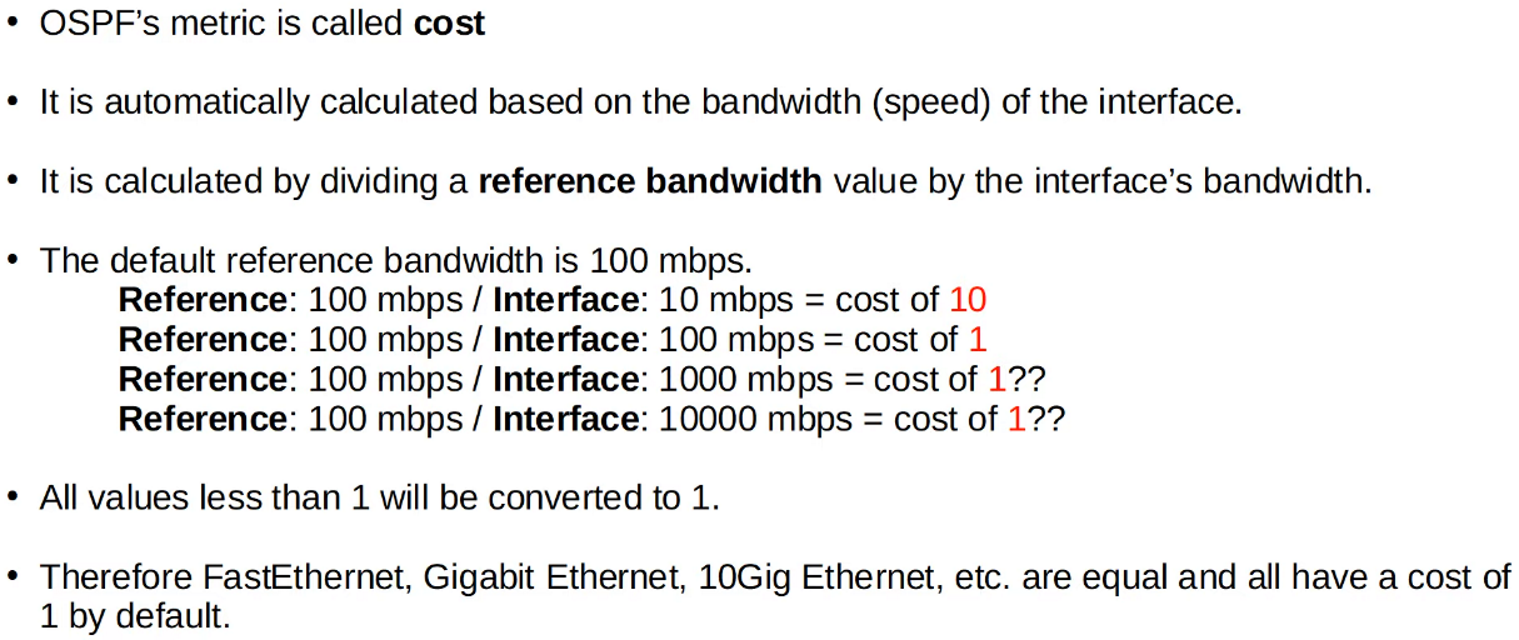
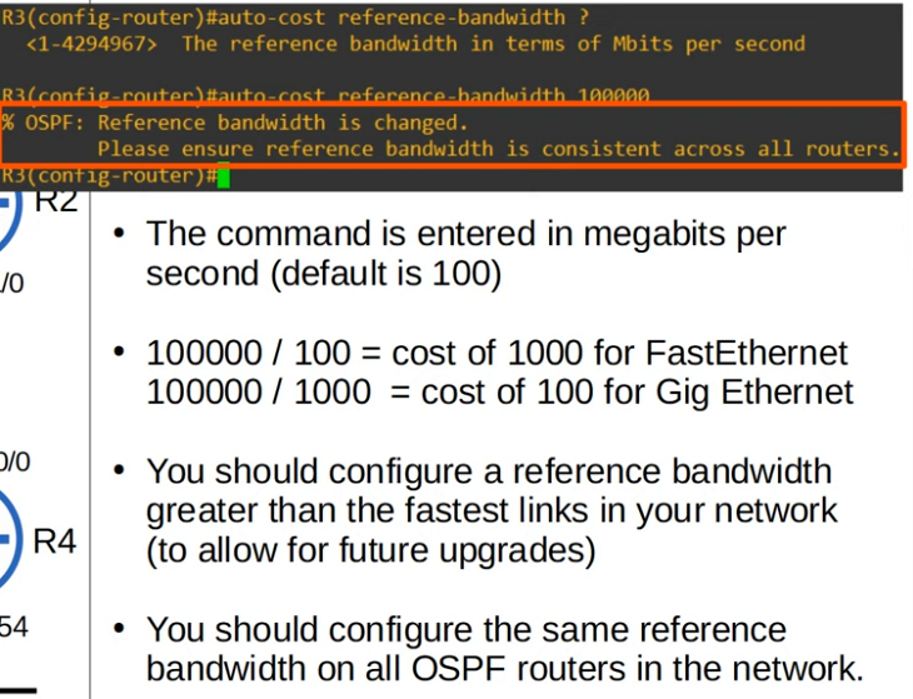
Why change auto-cost? With the 100 Mbps reference, every link faster than 100 Mbit gets cost 1 — so fast links look equal. Fix with:
auto-cost reference-bandwidth <Mbps>Manually configured interface cost overrides auto-cost. Cisco does not recommend changing interface bandwidth – use cost instead:
interface g0/0
 ip ospf cost 10000
show ip ospf interface brief shows costs.
Configuration (OSPFv2)
router ospf 1
 router-id 2.2.2.2
 log-adjacency-changes
 passive-interface default
 no passive-interface GigabitEthernet1/0/1
!
network 10.10.10.0 0.0.0.3 area 0
network 192.168.255.0 0.0.0.255 area 0
network 192.168.10.0 0.0.0.255 area 0
network 172.16.20.0 0.0.0.255 area 1
router ospf 1– start process 1 ·router-id– unique ID ·log-adjacency-changes– log neighbor eventspassive-interface default+no passive-interface <transit>– advertise LANs without sending hellos; adjacency only on transit links (prevents unwanted neighbors)- Wildcard masks decide which interfaces are matched
Default route:
default-information originate            ! requires a default route in the RIB
default-information originate always     ! alternative
MD5 authentication (interface-based, both sides of the link, OSPFv2 only):
ip ospf authentication message-digest
ip ospf message-digest-key 11 md5 <key>
Maintenance — clear ip ospf process breaks all adjacencies, not recommended in production. Verification:
show ip route 0.0.0.0
show ip ospf neighbor
show ip ospf interface brief
show ip protocols
show ip route ospf
show ip ospf database external